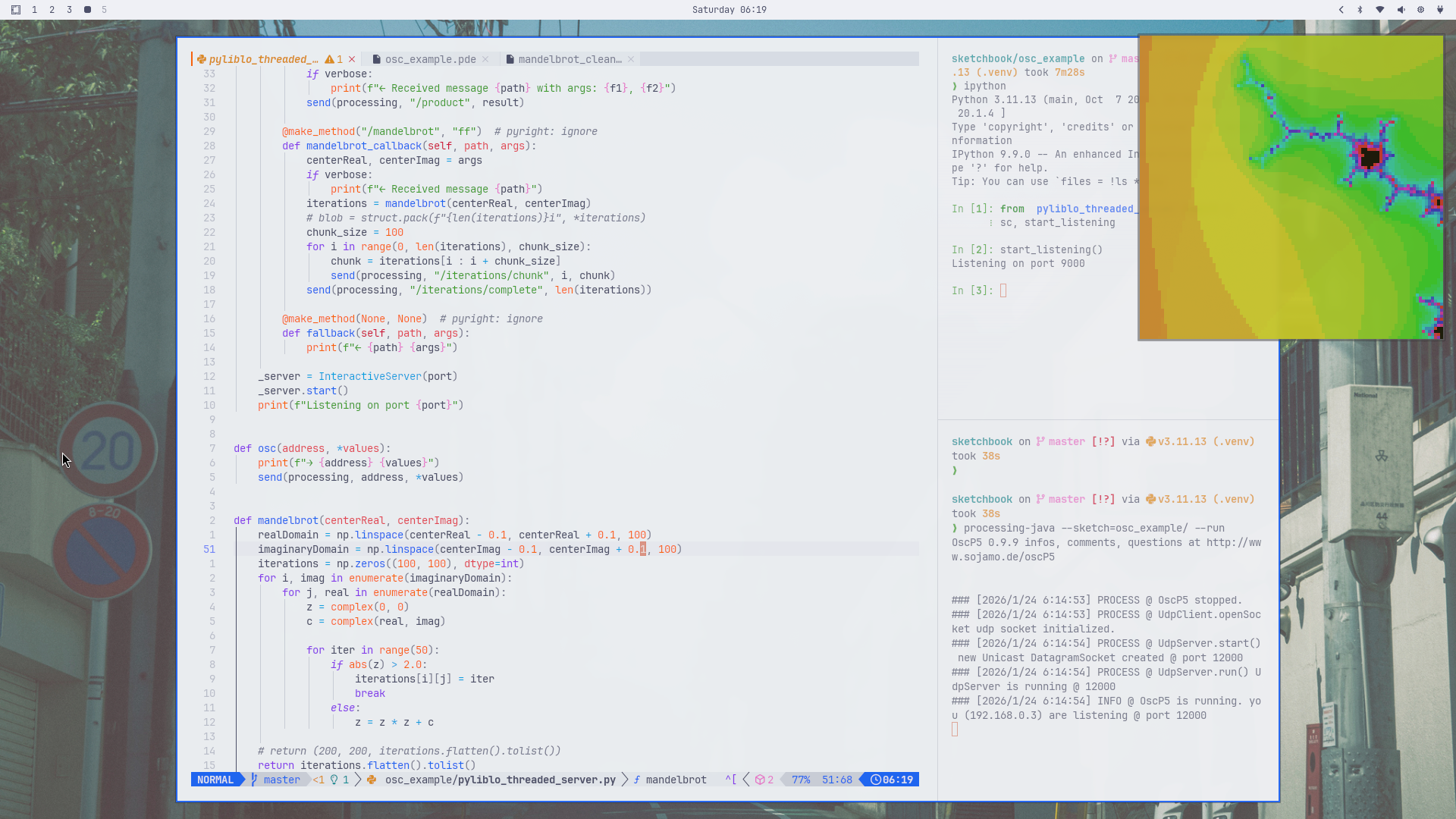
Sending OSC messages from the command line
I’d like to be able to live-code Processing sketches. That’s possible now with P5LIVE.
Interview with Ted Davis: P5LIVE: Walking Through a Collaborative p5.js Environment for Live Coding Another approach would be to just send OCS messages to a running Processing sketch.
Receiving OSC data in a Processing sketch #
Install the OscP5 library #
GitHub: https://github.com/sojamo/oscp5 Docs: https://sojamo.de/libraries/oscp5/
I installed the library by opening the PDE, then searching for and installing oscP5. I could have
just downloaded and unzipped the oscP5 folder into the libraries folder of my Processing
sketches.
Using OscP5 in a sketch #
import oscP5.*;
OscP5 oscP5;

void setup() {
  size(200, 200);
  oscP5 = new OscP5(this, 12000);
}

void draw() {
  point(width/2, height/2);
}

void oscEvent(OscMessage theOscMessage) {
  println("### OSC message received");
  println("address pattern:", theOscMessage.addrPattern());
  println("message type:", theOscMessage.typetag());
}
Sending OSC data to a Processing sketch with oscsend #
Note that this is Linux specific, but liblo can be installed on a Mac with
Homebrew.
oscsend is part of liblo-tools:
https://github.com/radarsat1/liblo/blob/master/src/tools/oscsend.c
I installed it with:
pacman -S liblo
It’s usage is simple:
❯ oscsend --help
oscsend version 0.34
Copyright (C) 2008 Kentaro Fukuchi

Usage: oscsend hostname port address types values...
or     oscsend url address types values...
Send OpenSound Control message via UDP.

Description
hostname: specifies the remote host's name.
port    : specifies the port number to connect to the remote host.
url     : specifies the destination parameters using a liblo URL.
          e.g. UDP        "osc.udp://localhost:9000"
               Multicast  "osc.udp://224.0.1.9:9000"
               TCP        "osc.tcp://localhost:9000"
               File       "file:///tmp/dump.osc"
               stdout     -

address : the OSC address where the message to be sent.
types   : specifies the types of the following values.
          i - 32bit integer
          h - 64bit integer
          f - 32bit floating point number
          d - 64bit (double) floating point number
          s - string
          S - symbol
          c - char
          m - 4 byte midi packet (8 digits hexadecimal)
          T - TRUE (no value required)
          F - FALSE (no value required)
          N - NIL (no value required)
          I - INFINITUM (no value required)
values  : space separated values.

Example
$ oscsend localhost 7777 /sample/address iTfs 1 3.14 hello
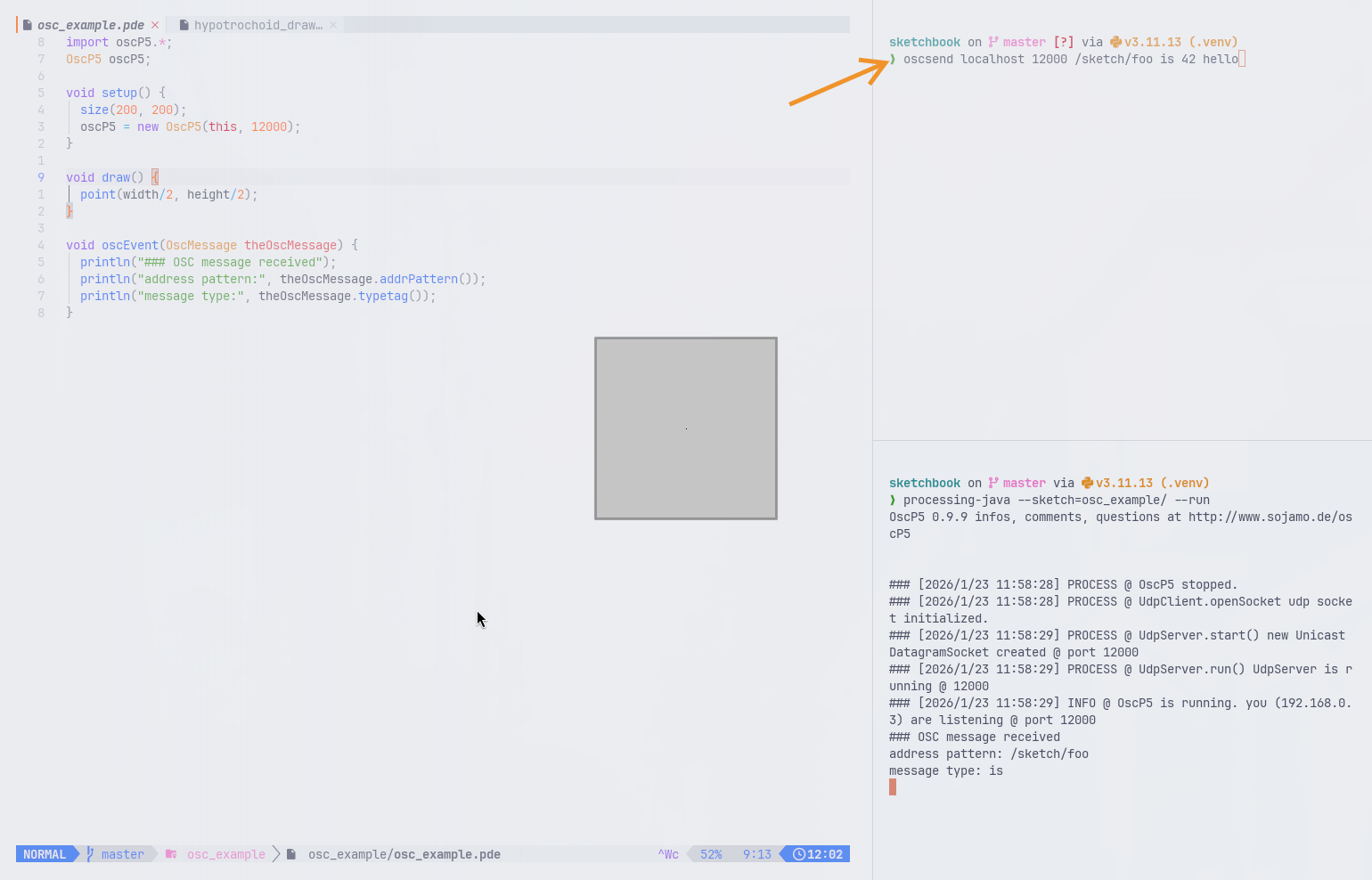
I want to work with tools that look/feel nice:
Sending OSC messages to Processing from the Python REPL #
Using the liblo oscsend command line utility, it could be done with:
In [10]: import subprocess

In [11]: subprocess.run(["oscsend", "localhost", "12000", "sketch/bg", "iii", "0", "255", "0"])
Out[11]: CompletedProcess(args=['oscsend', 'localhost', '12000', 'sketch/bg', 'iii', '0', '255', '0'], returncode=0)
That’s a bit much.
A better approach is to create a Python script in the Processing sketch’s directory:
import subprocess


def osc(address, *values):
    args = ["oscsend", "localhost", "12000", address]

    types = ""
    vals = []
    for v in values:
        if isinstance(v, int):
            types += "i"
        elif isinstance(v, float):
            types += "f"
        elif isinstance(v, str):
            types += "s"
        vals.append(str(v))

    args.extend([types] + vals)
    subprocess.run(args)
Then open the Python REPL (or IPython) on the sketch directory and run:
In [1]: from oscsend import osc

In [2]: osc("/sketch/bg", 12, 34, 153)
Here’s
import oscP5.*;
OscP5 oscP5;

int r, g, b = 45;

void setup() {
  size(200, 200);
  background(r, g, b);
  oscP5 = new OscP5(this, 12000);
}

void draw() {
  background(r, g, b);
}

void oscEvent(OscMessage theOscMessage) {
  println("### OSC message received");
  String addr = theOscMessage.addrPattern();
  println("address pattern:", addr);
  String typeTag = theOscMessage.typetag();
  println("message type:", typeTag);


  if (theOscMessage.checkAddrPattern("/sketch/bg")) {
    if (theOscMessage.checkTypetag("iii")) {
      r = theOscMessage.get(0).intValue();
      g = theOscMessage.get(1).intValue();
      b = theOscMessage.get(2).intValue();
    }

    // alternate approach for checking message length and setting types:
    // Object[] args = theOscMessage.arguments();
    // if (args.length >= 3) {
    //   r = (Integer) args[0];
    //   g = (Integer) args[1];
    //   b = (Integer) args[2];
    // }
  }
}
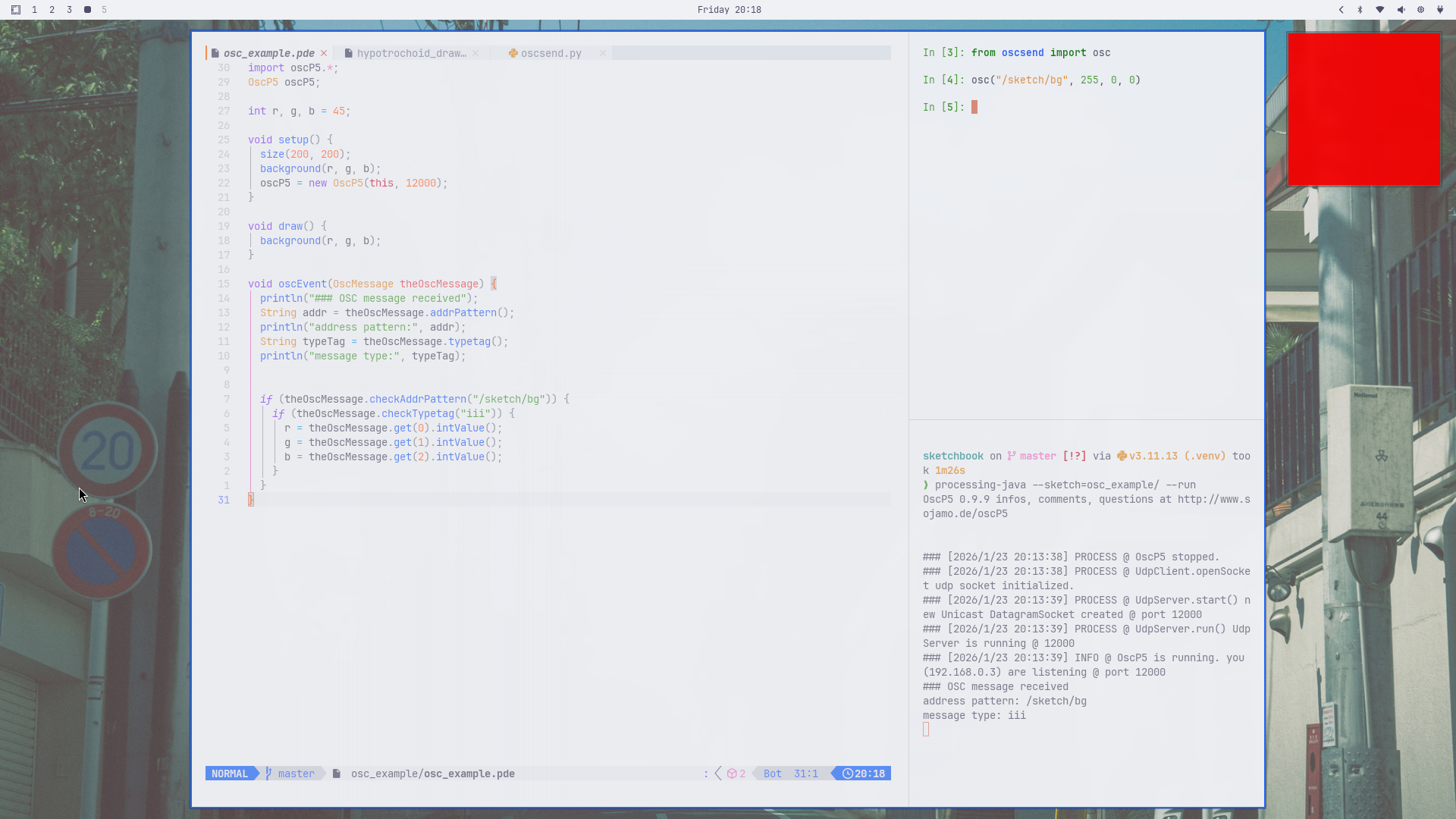
This is getting somewhere:
Using the pyliblo library instead of the sendosc command line utility #
pyliblo3
is a fork of
pyliblo.
Both libraries provide Python bindings for the liblo OSC library. The advantage of pyliblo3 is that it can be installed with pip.
Ideally in a virtual env:
pip install pyliblo3
The Python code I posted above can be simplified when pyliblo3 is used. pyliblo automatically
detects Python types and converts them to OSC types: (int->i, float->f, str->s):
from pyliblo3 import send, Address

processing = Address("localhost", 12000)


def osc(address, *values):
    send(processing, address, *values)
That’s it.
Blocking versus threaded servers #
The Python example
above
creates a “blocking” server. With pyliblo it’s also possible to create a “threaded” server.
The threaded versus blocking server issue is for the receiving server, not the sending server. The sending server will always (?) be blocking.
Creating a threaded server with pyliblo #
A trivial example that sends randomly generated x,y positions to Python. Python multiplies the
values and sends the product to the Processing sketch:
from pyliblo3 import ServerThread, send, make_method, Address

# Global server instance
_server = None
processing = Address("localhost", 12000)


def start_listening(port=9000, verbose=False):
    global _server

    class InteractiveServer(ServerThread):
        @make_method("/multiply", "ff")
        def multiply_callback(self, path, args):
            f1, f2 = args
            result = f1 * f2
            if verbose:
                print(f"← Received message {path} with args: {f1}, {f2}")
            send(processing, "/product", result)

        @make_method(None, None)  # pyright: ignore
        def fallback(self, path, args):
            print(f"← {path} {args}")

    _server = InteractiveServer(port)
    _server.start()
    print(f"Listening on port {port}")


def osc(address, *values):
    print(f"→ {address} {values}")
    send(processing, address, *values)
import oscP5.*;
import netP5.*;

OscP5 oscP5;
NetAddress myLocation;

int r, g, b = 45;
float product = 0.0;
float x, y;

void setup() {
  size(200, 200);
  textSize(22);
  background(r, g, b);
  stroke(200);
  strokeWeight(8);
  oscP5 = new OscP5(this, 12000);
  myLocation = new NetAddress("127.0.0.1", 9000);
}

void draw() {
  background(r, g, b);
  if (frameCount % 20 == 0) {
    x = random(width);
    y = random(height);
    sendToMultiply(x, y);
  }

  point(x, y);
  text(str(product), width/2 - 8, height/2);
}

void sendToMultiply(float f1, float f2) {
  OscMessage myMessage = new OscMessage("/multiply");
  myMessage.add(f1);
  myMessage.add(f2);
  oscP5.send(myMessage, myLocation);
}

void mousePressed() {
  OscMessage myMessage = new OscMessage("/multiply");
  myMessage.add(1.234);
  myMessage.add(2.345);
  oscP5.send(myMessage, myLocation);
}

void oscEvent(OscMessage theOscMessage) {
  println("### OSC message received");
  String addr = theOscMessage.addrPattern();
  println("address pattern:", addr);
  String typeTag = theOscMessage.typetag();
  println("message type:", typeTag);


  if (theOscMessage.checkAddrPattern("/sketch/bg")) {
    if (theOscMessage.checkTypetag("iii")) {
      r = theOscMessage.get(0).intValue();
      g = theOscMessage.get(1).intValue();
      b = theOscMessage.get(2).intValue();
    }
  }

  if (theOscMessage.checkAddrPattern("/product")) {
    if (theOscMessage.checkTypetag("f")) {
      print("Product received");
      product = theOscMessage.get(0).floatValue();
    }
  }
}
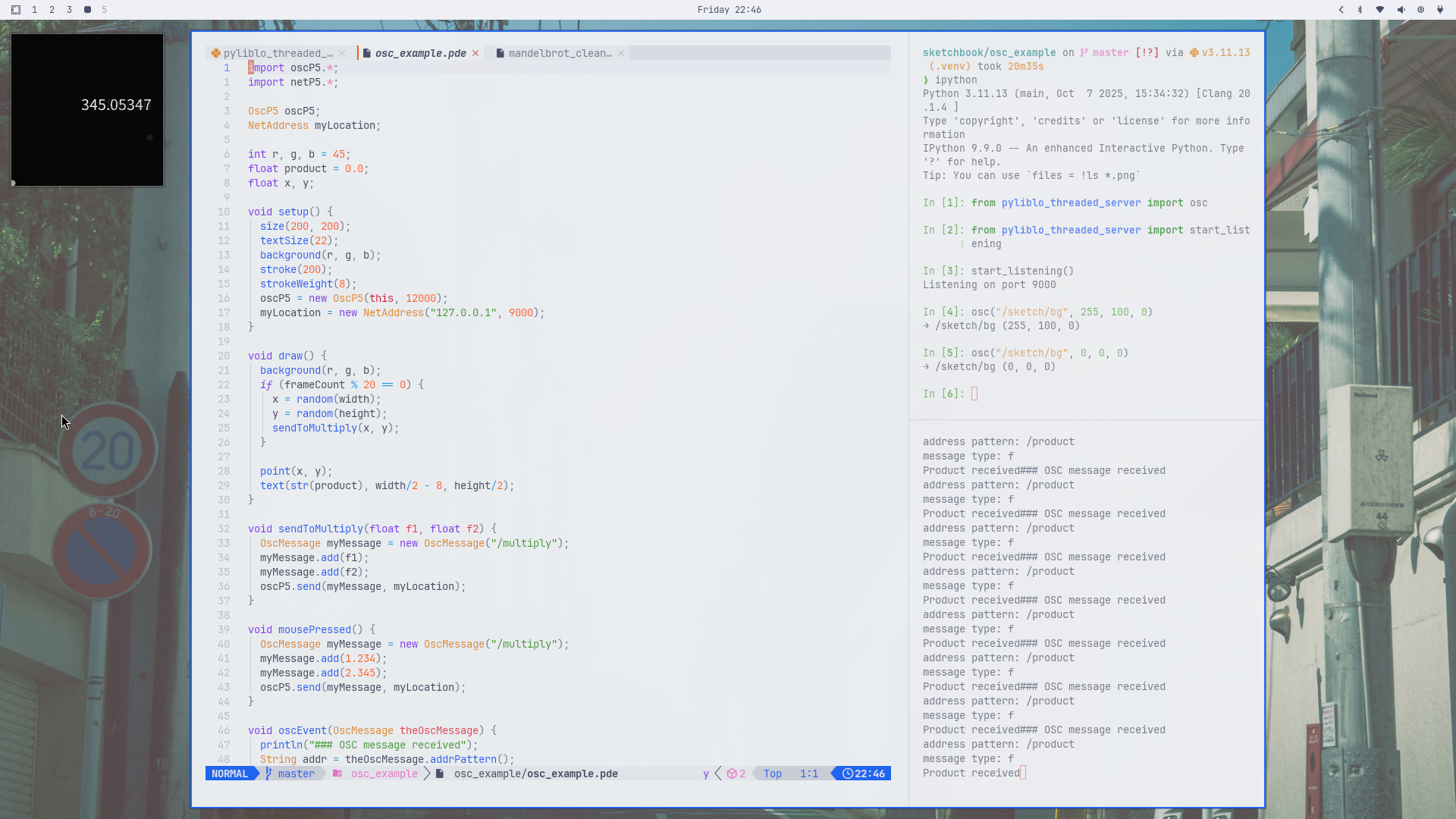
This is totally unnecessary: